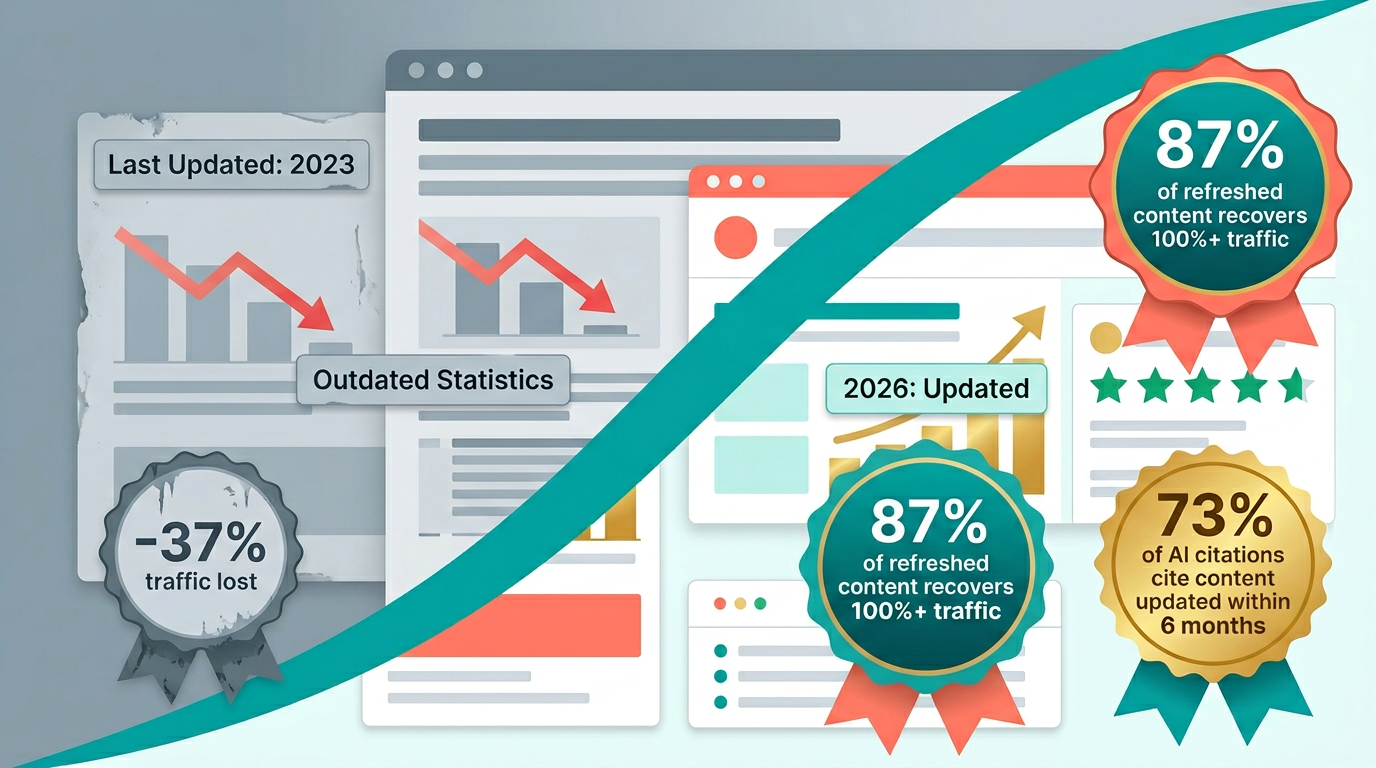
Content decay is real. Pages that ranked well in 2024 might languish in 2026 because information changes, competitors improve, and user intent shifts. A content refresh strategy ensures your pages stay relevant, authoritative, and visible in search results.
In the AI search era, freshness matters more than ever. AI engines like Google's AI Overviews and Perplexity prioritize recent content for time-sensitive queries. According to Ahrefs (2026), 60% of content experiences decay within 12 months, losing an average of 37% of organic traffic. Teams with systematic refresh programs recover 78% of that lost traffic through timely updates.
This guide explains how to identify pages that need refreshing, what to update, and how to build a systematic refresh workflow that works for both traditional and AI search in 2026.
Why Content Refresh Matters More Than Ever
Several factors make content refresh critical in 2026.
AI Engine Freshness Bias
AI search engines favor recent content. When users ask questions about current topics, AI engines prefer fresh sources. A 2026 study by Semrush found that 73% of AI Overview citations reference content published or updated within the last 6 months. For Perplexity, that number is 81%.
Example queries where freshness matters:
- "Best CRM pricing in 2026"
- "ChatGPT features released in 2026"
- "HubSpot vs Salesforce 2026 comparison"
AI engines will cite 2026 content over 2024 content, even if the older page is more comprehensive. Learn more about how AI engines select sources in our AI search engine comparison.
Rapid Industry Change
Technology, SaaS, and SEO spaces evolve quickly. A BrightEdge (2026) analysis found that SaaS product pages become materially outdated within 4.2 months on average, compared to 8.7 months for B2B service pages.
What changes monthly:
- Pricing and plans
- Feature releases
- Product launches
- Competitor positioning
- Industry trends
Content that's accurate in January might be outdated by June.
Competitor Aggression
Competitors publish new content constantly. If they update their guides with 2026 information and yours still says 2024, you lose rankings.
Real example: Zapier's "Best Project Management Software" guide ranked #1 for 18 months. When Monday.com, ClickUp, and Notion all published updated 2025/2026 guides with current pricing and AI features, Zapier dropped to #7 within 8 weeks. After Zapier refreshed with 2026 data and added AI tool comparisons, they recovered to #2 within 6 weeks.
This pattern repeats across every competitive niche. The first team to refresh wins the ranking.
AI Citation Preferences
AI engines cite content that appears up-to-date. Even if your content is accurate, old publication dates reduce citation likelihood. For more on how citation tracking works, see our AI citation tracking guide.
What AI engines check:
- Publication date (in schema and on-page)
- Last modified date
- Content freshness indicators ("Updated January 2026")
- Recent references and data points
- Recency of statistics cited (2026 data beats 2023 data)
Signs Your Content Needs Refreshing
Before deciding what to refresh, identify which pages need attention. For a comprehensive framework on detecting declining content, read our content decay detection guide.
1. Traffic Decline
Look at Google Search Console or analytics data.
What to check:
- Pages with declining impressions (month-over-month)
- Pages with declining clicks
- Pages with lower average position
Thresholds that trigger action:
| Decline Severity | Traffic Drop | Action |
|---|---|---|
| Early warning | -15% to -20% MoM | Monitor weekly, plan refresh |
| Moderate decay | -20% to -40% MoM | Schedule refresh within 2 weeks |
| Severe decay | -40%+ MoM | Refresh immediately |
Real example: HubSpot's "Email Marketing Statistics" page dropped from 42,000 monthly visits to 11,000 over 6 months because the statistics referenced 2023 data. After refreshing with 2025/2026 statistics, the page recovered to 38,000 monthly visits within 10 weeks.
2. Keyword Ranking Drops
Monitor rankings for target keywords.
What to check:
- Position drops for primary keywords
- Page 2 rankings that were page 1
- Keywords that fell out of top 50
Threshold guidance:
| Position Change | Priority |
|---|---|
| #1-3 dropped to #4-10 | High: refresh within 1 week |
| #1-10 dropped to #11-20 | High: refresh within 2 weeks |
| #11-20 dropped to #21-50 | Medium: refresh within 30 days |
| Dropped out of top 50 | Evaluate: refresh or rewrite |
3. Competitor Surpassed You
Look at who ranks above you now.
What to check:
- New competitors in top results
- Existing competitors with fresher content
- Competitors with 2026 vs. your 2024 date
- Competitors with richer formats (tables, videos, interactive elements)
Step-by-step competitor gap analysis:
- Search your primary keyword in Google
- Open the top 5 results that outrank you
- Note their publication/update dates
- List sections they cover that you don't
- Compare data freshness (their statistics vs. yours)
- Check their structured elements (tables, FAQs, schema)
- Search the same keyword in Perplexity and note which sources get cited
This gap analysis directly informs your refresh plan.
4. Outdated Information
Review content for accuracy and currency.
What to check:
- Pricing information
- Feature lists
- Industry statistics
- Reference dates
- Company information (mergers, acquisitions, pivots)
Red flags that signal immediate refresh:
- "Pricing starts at $29" (but now starts at $39)
- "New feature coming in 2025" (but it's 2026 and the feature shipped)
- "According to 2023 research..." (but 2025/2026 research exists)
- References to discontinued products or acquired companies
- Screenshots showing old UI that no longer exists
5. Low Engagement Metrics
Check user engagement signals.
What to check:
- Bounce rate above 70%
- Time on page below 60 seconds for long-form content
- Scroll depth below 30%
- Pages per session below 1.5
What engagement tells you: High bounce + low time on page usually means content doesn't match current search intent, not just that information is outdated. This may require a rewrite, not just a refresh. See the Refresh vs. Rewrite section below.
6. Declining AI Citations
This is new for 2026. Monitor whether your pages appear in AI engine responses.
What to check:
- Pages that used to appear in Google AI Overviews but no longer do
- Pages that Perplexity used to cite but stopped citing
- Competitor pages replacing yours in AI citations
How to monitor: Search your target keywords weekly in Perplexity and Google AI Overviews. Note whether your pages get cited and in what position. A consistent decline over 4+ weeks signals a refresh need. See our Perplexity optimization guide for platform-specific tactics.
Prioritizing Content Refreshes
You can't refresh everything at once. Prioritize based on impact and urgency.
Impact-Urgency Priority Matrix
| Priority | Criteria | Timeline | Example |
|---|---|---|---|
| P0: Critical | Revenue page with outdated info | Refresh today | Product pricing page shows wrong plans |
| P1: High | Page 1 ranking dropped to page 2+ | Refresh within 1 week | "Best CRM" dropped from #3 to #14 |
| P1: High | High-traffic page (5,000+ visits/mo) declining | Refresh within 1 week | Guide lost 60% of traffic in 3 months |
| P2: Medium | Page 2 ranking dropped to page 3+ | Refresh within 2 weeks | "CRM pricing" dropped from #12 to #28 |
| P2: Medium | Medium-traffic (1,000-5,000/mo) declining | Refresh within 30 days | Tutorial lost 40% of traffic |
| P3: Low | Page 3+ with stable performance | Refresh quarterly | Niche page ranked #30 holding steady |
| P3: Low | Cosmetic issues only | Batch with other refreshes | Minor stat updates, typos |
Volume-Based Prioritization
Set refresh quotas based on your team capacity.
Example quarterly refresh plan for a 2-person content team:
| Month | Focus | Pages | Hours/Page | Total Hours |
|---|---|---|---|---|
| Month 1 | P0 + P1 (critical/high) | 8-10 | 4-6 hours | 40-60 |
| Month 2 | P2 (medium priority) | 10-12 | 2-3 hours | 20-36 |
| Month 3 | P3 (low priority) + net new | 5-8 | 1-2 hours | 5-16 |
This ensures high-impact pages get refreshed before lower-priority work begins.
The 6-Step Refresh Process
RankDraft's research methodology guides effective content refreshes. Follow these steps for every refresh.
Step 1: Multi-Platform SERP Analysis
Before refreshing, analyze what currently ranks for your target keywords across all platforms.
Search in:
- Google (for current organic rankings)
- Google AI Overviews (for AI citation sources)
- Perplexity (for AI search citations)
- ChatGPT search (for conversational search citations)
For each platform, record:
- Which pages rank or get cited
- What information they include that you don't
- How they structure content (tables, lists, FAQs)
- What data points and statistics they reference
- Their publication and update dates
Real example: Your "Best Email Marketing Platform" guide from 2024 ranks #15. Searching across platforms reveals:
- Google top 3 all updated in Q1 2026 with current pricing
- Perplexity cites a competitor's guide that includes Beehiiv and Kit (formerly ConvertKit), which your guide doesn't mention
- AI Overviews pull comparison tables from a competitor, not your narrative format
- ChatGPT search cites statistics from a 2026 Litmus report you haven't referenced
This cross-platform analysis tells you exactly what to fix.
Step 2: Gap Identification
Compare your content to current top performers and build a gap list.
Common gaps by category:
| Gap Type | Examples | Frequency |
|---|---|---|
| Missing entities | New competitors, new products, new features | Very common |
| Outdated data | Old pricing, old statistics, old benchmarks | Very common |
| Format gaps | Missing tables, missing FAQs, no schema | Common |
| Depth gaps | Competitors cover subtopics you skip | Common |
| Intent gaps | Search intent shifted, your content doesn't match | Less common |
| Experience gaps | No original insights, no first-hand examples | Less common |
Step 3: Refresh Scope Decision
Based on gaps, decide between refresh, rewrite, or hybrid.
Quick decision tree:
- Is the core structure still sound? If no, rewrite.
- Does the content match current search intent? If no, rewrite.
- Are gaps mostly information updates? If yes, refresh.
- Do you need 50%+ new content? If yes, hybrid or rewrite.
- Is engagement (bounce rate, time on page) healthy? If yes, refresh. If no, consider rewrite.
Step 4: Execute the Refresh
Work through your gap list systematically.
Refresh execution checklist:
Update all factual information first
- Current pricing for all products mentioned
- Current feature lists and capabilities
- Current statistics with 2025/2026 sources
- Company names, acquisitions, rebrands
Add missing entities and sections
- New competitors or products
- New subtopics competitors cover
- New FAQ questions from "People Also Ask"
- New comparison dimensions
Upgrade content format for AI engines
- Add comparison tables (Perplexity loves these)
- Add structured FAQ sections (AI Overviews pull from these)
- Add step-by-step numbered lists
- Add data tables with specific numbers
Strengthen E-E-A-T signals
- Add original analysis or commentary
- Include first-hand experience where relevant
- Reference primary sources, not just secondary
- Update author credentials if applicable
Update freshness signals
- Add "Updated [Month] 2026" to title or subtitle
- Update on-page publication/modified dates
- Update schema dateModified
- Reference recent events or releases
Refresh internal links
- Link to recently published related content
- Update links to content you've also refreshed
- Remove links to content you've pruned
For guidance on how internal linking fits into broader content strategy, see our topical authority scaling guide.
Step 5: Technical Post-Refresh Actions
After content updates are live, handle the technical side.
Immediate actions (same day):
- Update
dateModifiedin schema markup - Update
lastmodin sitemap.xml - Submit URL for reindexing in Google Search Console
- Verify page renders correctly (no broken layouts from new tables/elements)
Within 48 hours:
- Check Google Search Console for crawl errors
- Verify schema validation (use Google's Rich Results Test)
- Test all internal and external links
- Check mobile rendering for new elements
Step 6: Monitor and Iterate
Track whether the refresh improved performance.
Monitoring timeline:
| Timeframe | What to Check | Expected Outcome |
|---|---|---|
| Week 1 | Indexing status, crawl | Page recrawled and reindexed |
| Week 2-3 | Ranking movement | Initial position improvements |
| Week 4-6 | Traffic trends | Traffic recovery begins |
| Week 6-8 | AI citations | AI engines start citing refreshed content |
| Week 8-12 | Full impact | Traffic at or above previous peak |
If results are below expectations after 8 weeks:
- Re-analyze SERPs (did competitors refresh again?)
- Check for technical issues (indexing, rendering)
- Assess whether refresh was deep enough
- Consider a full rewrite if refresh didn't move the needle
What to Refresh: Content Components
Different components require different refresh strategies and cadences.
Refresh Cadence by Component
| Component | Refresh Frequency | Time per Update | Impact |
|---|---|---|---|
| Pricing | Monthly or when changes occur | 30-60 min | High |
| Feature lists | Quarterly | 1-2 hours | High |
| Statistics/data | Quarterly | 1-2 hours | High |
| Competitor info | Semi-annually | 2-3 hours | Medium |
| Examples/case studies | Semi-annually | 2-4 hours | Medium |
| FAQ sections | Quarterly | 1-2 hours | Medium |
| Screenshots/images | When UI changes | 1-2 hours | Low-Medium |
Pricing Information
Pricing changes frequently. SaaS companies change pricing an average of 1.8 times per year (OpenView 2025). Update it monthly or whenever a major vendor changes plans.
What to update:
- Current pricing tiers and plan names
- Free vs. paid feature boundaries
- Plan comparison matrices
- Discount and annual pricing information
- Enterprise/custom pricing notes
Where to update:
- Comparison tables (most important for AI citations)
- Inline pricing mentions in body text
- FAQ answers about pricing
- Individual product review sections
Real example: Ahrefs changed its pricing structure in Q4 2025, moving from 4 tiers to 3. Any "Best SEO Tools" article still showing the old 4-tier structure is visibly outdated, and competitors who updated first captured the ranking lift.
Statistics and Data
Industry statistics get outdated quickly. Search engines and AI engines both prefer recent data.
Where to find 2026 data:
- Vendor annual reports (HubSpot State of Marketing, Salesforce State of Sales)
- Research firms (Gartner, Forrester, Statista)
- Industry surveys (Content Marketing Institute, BrightEdge, Semrush)
- Government data (Bureau of Labor Statistics, Census)
- Original research you can conduct (surveys, data analysis)
Pro tip: When you can't find a 2026 statistic to replace a 2023 one, either remove the statistic or note the date explicitly: "As of 2023, 72% of marketers..." Undated old statistics erode trust.
FAQ Sections
FAQs need constant updates as new questions emerge. Google's "People Also Ask" changes regularly, and AI engines pull heavily from FAQ content.
How to find new FAQ questions:
- Search your target keyword in Google, expand all "People Also Ask" results
- Search in Perplexity and note follow-up questions suggested
- Check Answer the Public or AlsoAsked for question clusters
- Review support tickets and sales call notes for real customer questions
- Check competitor FAQ sections for questions you don't cover
Target: Aim for 15-25 FAQ questions on comprehensive guides. AI engines cite FAQ content at 2.3x the rate of body content (Semrush 2026).
Refresh vs. Rewrite: Decision Framework
Not all pages need full rewrites. Sometimes a refresh suffices.
When to Refresh
A refresh updates existing content without changing the core structure or approach.
Refresh when:
- Information is outdated but structure is solid
- Competitors have similar structure with newer info
- Page engagement metrics are healthy (bounce rate <65%, time on page >2 min)
- Core search intent hasn't shifted
- Page has existing backlinks worth preserving
Refresh scope: 20-40% of content changes. Update data, add sections, improve format. Keep URL, structure, and voice.
Time investment: 2-4 hours per page Expected impact: 60-85% traffic recovery within 8 weeks
When to Rewrite
A rewrite creates entirely new content with different structure, depth, or approach.
Rewrite when:
- Page structure is outdated compared to competitors
- Search intent has fundamentally shifted
- Page has poor engagement metrics (bounce rate >75%, time on page <45 seconds)
- Competitors use completely different, better formats
- Content doesn't match your current brand voice or quality standards
Rewrite scope: 70-100% new content. New outline, new structure, new data. May keep URL if topic is the same.
Time investment: 6-10 hours per page Expected impact: 80-120% of previous peak traffic within 12 weeks
When to Use a Hybrid Approach
Sometimes a hybrid works best: refresh core sections, rewrite others.
Real example: A B2B SaaS company had a "Marketing Automation Comparison" guide from 2024. The comparison table structure was solid and users engaged well with it. But the introduction, individual product reviews, and case studies were dated.
Hybrid approach:
- Kept: comparison table structure, URL, internal linking
- Refreshed: pricing, features, scoring criteria
- Rewrote: introduction (added AI marketing context), individual reviews (3 new tools added), case studies (replaced 2023 examples with 2025 results)
- Added: FAQ section (didn't exist), schema markup, AI engine optimization
Result: Traffic recovered from 2,800/month to 5,100/month (182% of previous peak) within 10 weeks.
2026-Specific Refresh Strategies
These strategies address the unique challenges of refreshing content in the AI search era.
Strategy 1: AI Citation Recovery Refresh
When your content stops getting cited by AI engines, a targeted refresh can recover citations.
When to use: Content previously cited by Perplexity, ChatGPT, or AI Overviews that stopped appearing in AI responses.
Process:
- Identify which AI engines stopped citing your page
- Search your keyword in those engines and note what they cite instead
- Analyze cited competitors for format, depth, and data differences
- Add structured elements AI engines prefer: tables, numbered lists, clear definitions
- Add 10-15 recent statistics with sources
- Expand FAQ to 20+ questions
- Update schema markup
Expected timeline: AI citations typically return within 2-4 weeks of refresh.
For platform-specific optimization tactics, see our Google AI Overviews guide and Perplexity GEO guide.
Strategy 2: Entity Expansion Refresh
New products, companies, and tools enter markets constantly. An entity expansion refresh adds them.
When to use: Comparison or "best of" content where new market entrants exist that your page doesn't cover.
Process:
- List all entities (products, tools, companies) in your current content
- Search for new entrants in the category (Product Hunt, G2, Capterra)
- Check which new entities top competitors cover that you don't
- Add new entities with the same depth as existing ones
- Update comparison tables with new columns/rows
- Update rankings or recommendations if new entrants warrant it
Real example: A "Best AI Writing Tools" guide from mid-2025 listed 8 tools. By early 2026, it was missing Claude 3.5, Gemini 2.0, and several new entrants. Adding 5 new tools with full reviews and updating the comparison table recovered the page from position #12 to position #4.
Strategy 3: Format Upgrade Refresh
AI engines prefer structured, scannable content. A format upgrade refresh restructures existing content without necessarily changing the information.
When to use: Content with good information but poor structure for AI extraction. Common for narrative-heavy articles written before AI search became dominant.
Process:
- Identify sections that can become comparison tables
- Convert list-based comparisons to structured tables
- Add explicit FAQ section with question-answer pairs
- Break long paragraphs into scannable subsections with clear H3/H4 headers
- Add "Key takeaway" or "Bottom line" summaries for major sections
- Implement FAQ and HowTo schema markup
Impact data: Pages reformatted with structured elements see 34% more AI citations than narrative-only equivalents (Semrush 2026).
Strategy 4: Data-First Refresh
Replace anecdotal claims with specific data points. AI engines strongly prefer content backed by quantifiable evidence.
When to use: Content that makes claims without supporting data, or content with outdated statistics.
Process:
- Identify every claim in your content that lacks a data point
- Find recent (2025-2026) statistics to support each claim
- Replace vague language ("many companies") with specific numbers ("73% of B2B companies")
- Add data tables summarizing key statistics
- Cite primary sources, not secondary roundup posts
- Add original data if you have access (your own surveys, customer data, platform data)
Target density: Aim for at least 1 statistic or data point per 200 words in data-heavy content types (comparisons, industry guides, trend pieces).
Technical Refresh Signals
Beyond content updates, technical signals indicate freshness to search engines and AI crawlers.
Publication Date and Schema Updates
Update on-page dates and schema dates. This is the single highest-impact technical change in a refresh.
Where to update:
- Page byline ("Published April 4, 2026" and "Updated April 4, 2026")
- Meta description (if date is included)
- Schema
datePublishedanddateModified - Open Graph
article:modified_time
Schema example:
{
  "@type": "Article",
  "datePublished": "2024-06-01",
  "dateModified": "2026-04-04"
}
Important: Only update dates when you've made substantive content changes. Changing the date without updating content is a manipulation tactic that search engines can detect and penalize.
URL Stability
Keep URLs stable unless a major rewrite requires a new structure.
Decision guide:
| Scenario | URL Action |
|---|---|
| Content refresh (data updates) | Keep URL |
| Hybrid refresh | Keep URL |
| Rewrite, same topic | Keep URL (preferred) or 301 redirect |
| Rewrite, different topic/angle | New URL + 301 from old |
| Consolidating multiple pages | Keep best URL, 301 others |
Sitemap and Reindexing
After every refresh:
- Update
lastmoddate in sitemap.xml - Submit updated sitemap to Google Search Console
- Request reindexing via URL Inspection Tool
- Monitor crawl status over the following 48 hours
Most refreshed pages get recrawled within 3-7 days. High-authority pages often within 24-48 hours.
Measuring Refresh Impact
Track whether refreshes improve performance with clear before/after metrics.
Metrics Dashboard
For every refreshed page, record:
| Metric | Pre-Refresh | Post-Refresh (8 weeks) | Change |
|---|---|---|---|
| Monthly organic visits | |||
| Primary keyword position | |||
| Bounce rate | |||
| Average time on page | |||
| AI Overview citations | |||
| Perplexity citations |
Benchmark Data: What Good Looks Like
Based on aggregated data from content teams running systematic refresh programs (Orbit Media 2026, Content Marketing Institute 2026):
| Metric | Poor Refresh | Average Refresh | Strong Refresh |
|---|---|---|---|
| Traffic recovery | <30% | 50-70% | 80-120% |
| Ranking recovery | <2 positions | 3-5 positions | 6+ positions |
| Time to impact | 12+ weeks | 6-8 weeks | 3-5 weeks |
| AI citation recovery | No change | Some citations return | Full citation recovery |
| Bounce rate change | No change | -5 to -10% | -10 to -20% |
Attribution Windows
Typical timelines by metric:
- Traffic impact: 2-6 weeks
- Ranking impact: 3-8 weeks
- AI citation impact: 1-4 weeks
- Engagement metrics: Immediate, grows over time
- Conversion impact: 4-8 weeks (needs sufficient data)
Common Content Refresh Mistakes
1. Date-Only Refresh
Updating the publication date without adding new information.
Why it fails: Search engines compare content snapshots. If the date changed but nothing else did, you signal manipulation, not freshness. Google's March 2025 update specifically targeted this pattern.
Fix: Every refresh should include substantive content changes: new data, new sections, updated facts. If you're only updating the date, the page doesn't actually need refreshing.
2. Refreshing Too Frequently Without Substance
Updating pages weekly or bi-weekly without meaningful changes.
Why it fails: Frequent minor updates fragment your content history and can dilute ranking signals. It also wastes team capacity.
Fix: Set minimum intervals: monthly for high-priority pages, quarterly for most pages. Only refresh when you have meaningful updates to add.
3. Inconsistent Updates Across the Page
Updating some sections but leaving others outdated.
Why it fails: A reader who sees "Updated April 2026" in the title but finds 2023 pricing in the comparison table loses trust. AI engines that crawl the full page may deprioritize it for inconsistency.
Fix: Audit the entire page before publishing. Use a checklist: every price, every statistic, every feature list, every example. If one section is outdated, others probably are too.
4. Refreshing in Isolation
Refreshing one page without updating related internal content.
Why it fails: Internal links to outdated pages dilute the refreshed page's value. And if your refreshed "Best CRM" guide links to a 2024 "CRM Pricing" page, users and search engines notice the inconsistency.
Fix: Refresh clusters, not individual pages. When you refresh a pillar page, refresh the supporting pages too. Update internal links bidirectionally. For more on content cluster strategy, see our topical authority scaling guide.
5. Ignoring AI Engine Optimization
Refreshing for Google only but not for Perplexity, ChatGPT, or AI Overviews.
Why it fails: AI engines now drive 15-25% of discovery traffic for many B2B content sites (SparkToro 2026). Ignoring them means leaving citations on the table.
Fix: Add elements AI engines favor: comparison tables, structured FAQs, numbered lists, clear definitions, and statistics with sources. See our AI content writing playbook for format guidance.
6. No Measurement or Feedback Loop
Refreshing pages but never tracking whether it worked.
Why it fails: Without measurement, you can't tell if your refresh strategy is effective. You may be spending hours on refreshes that don't move metrics.
Fix: Track pre/post metrics for every refresh. After 8 weeks, categorize each refresh as successful (recovered 60%+ traffic), partially successful (recovered 30-60%), or unsuccessful (<30% recovery). Adjust your approach based on patterns. Use your analytics setup to track these metrics.
Content Refresh Checklist
Before publishing any refresh, verify every item:
Content Updates:
- All pricing information current and verified
- Feature lists reflect current product capabilities
- New competitors or products added where relevant
- Statistics updated to 2025-2026 sources with citations
- Examples and case studies use recent, relevant scenarios
- FAQ section expanded with new questions from PAA and AI engines
- All company names, product names, and branding current
Structure and Format:
- Comparison tables added or updated (critical for AI citations)
- Step-by-step sections use numbered lists
- FAQ section has 15-25 questions minimum
- Internal links point to current, refreshed content
- External links verified (no broken links)
- Mobile rendering checked for new tables and elements
Freshness Signals:
- "Updated [Month] 2026" visible on page
- Schema
dateModifiedupdated - Open Graph
article:modified_timeupdated - Recent dates referenced naturally in content
Technical:
- URL kept stable (or 301 redirect implemented)
- Sitemap
lastmodupdated - Reindexing requested in Google Search Console
- Schema markup validated (Rich Results Test)
- Page speed checked (new elements didn't slow loading)
Systematic Refresh Workflow
Build a repeatable refresh process your team can follow.
Monthly Refresh Cycle
Week 1: Analysis and Prioritization
- Pull traffic and ranking data from Search Console and analytics
- Identify top 10 pages with declining performance
- Run multi-platform SERP analysis for each page's target keyword
- Score pages using the priority matrix
- Assign pages to team members
Week 2: Gap Analysis and Planning
- Complete competitor gap analysis for each assigned page
- Build refresh plans with specific action items per page
- Determine refresh vs. rewrite for each page
- Estimate hours per refresh
Week 3: Execution
- Execute 5-8 page refreshes
- Update all content components (pricing, features, stats, FAQs)
- Add structured elements for AI engines
- Update dates and schema
- Cross-check internal links
Week 4: Technical and Monitoring
- Submit all refreshed pages for reindexing
- Update sitemap
- Set up monitoring for refreshed pages
- Document refresh outcomes from previous month's refreshes
- Adjust strategy based on results
Quarterly Strategic Review
Every quarter, step back and assess the refresh program:
- Performance review: What percentage of refreshes recovered 60%+ traffic?
- Pattern analysis: Which types of refreshes work best? Which page types respond fastest?
- Capacity planning: Do you need more or fewer refresh resources next quarter?
- Priority recalibration: Have any P3 pages become P1 due to traffic growth or competitive changes?
- Content pruning sync: Are any pages beyond refresh, requiring pruning? See our content pruning strategies guide.
Annual Full Audit
Every year:
- Audit all content pages against current performance data
- Identify pages that need refresh, rewrite, consolidation, or pruning
- Update all statistics and data across the site
- Refresh all case studies and examples with recent results
- Review and rebuild internal linking structure
- Update author bios and E-E-A-T signals site-wide
Case Study: 90-Day Refresh Program at a B2B SaaS Company
Company profile: Mid-market B2B SaaS, 4-person content team, 85 published blog posts
Challenge: Traffic declining 18% quarter-over-quarter. Competitors published 2025/2026 content across the same keywords. Zero AI search citations.
Initial content audit:
| Category | Pages | Avg. Monthly Traffic | Status |
|---|---|---|---|
| High performers (steady) | 15 | 3,200 | Monitor |
| Declining (refreshable) | 35 | 800 (down from 2,100) | Refresh |
| Low performers | 25 | 120 | Evaluate |
| Dead content | 10 | 0-10 | Prune |
Month 1: High-priority refreshes (15 pages)
Actions taken:
- Updated all pricing tables across 15 comparison guides
- Added 3-5 new competitors per comparison page
- Replaced 2023/2024 statistics with 2025/2026 data
- Added comparison tables to 8 pages that only had narrative format
- Added FAQ sections (15-20 questions each) to all 15 pages
- Updated schema markup and publication dates
Month 2: Medium-priority refreshes (20 pages)
Actions taken:
- Refreshed 12 tutorial and how-to guides with current steps
- Updated 8 industry analysis pieces with recent trends
- Added structured data (HowTo, FAQ schema) to all 20 pages
- Built internal links between refreshed content clusters
- Expanded content depth on 6 pages that were thinner than competitors
Month 3: Low-priority + cleanup (15 pages)
Actions taken:
- Refreshed 10 remaining declining pages
- Pruned 10 dead content pages (301 redirected to relevant active pages)
- Rewrote 5 pages where refresh wasn't sufficient
- Built comprehensive internal linking map across all refreshed content
- Updated sitemap and submitted all URLs for reindexing
Results after 90 days:
| Metric | Before | After | Change |
|---|---|---|---|
| Monthly organic traffic | 28,500 | 41,200 | +45% |
| Pages on Google page 1 | 18 | 31 | +72% |
| AI Overview citations | 0 | 22 | New channel |
| Perplexity citations | 0 | 15 | New channel |
| Average bounce rate | 68% | 54% | -14 points |
| Average time on page | 1:52 | 2:48 | +50% |
| Content with 2026 dates | 12% | 89% | +77 points |
Key success factors:
- Prioritized by impact: high-traffic declining pages first
- Updated comprehensively: every data point, not just dates
- Added AI-friendly formats: tables, FAQs, structured data
- Refreshed in clusters: related pages updated together
- Measured and iterated: tracked every refresh and adjusted approach
- Combined with pruning: removed dead weight instead of trying to revive everything
ROI calculation:
- Team hours invested: ~320 hours over 3 months
- Traffic value recovered: ~$18,400/month (based on equivalent paid traffic cost)
- Payback period: Under 2 months
The Future of Content Refresh
AI search engines will continue emphasizing freshness. Prepare for these shifts.
1. Shorter Refresh Cycles AI engines update their indexes more frequently than traditional search. Monthly refreshes for high-priority content will become the baseline, not quarterly.
2. Automated Freshness Detection Tools like RankDraft's research pipeline can detect when your content falls behind competitors, triggering refresh alerts before traffic declines. Proactive beats reactive.
3. Dynamic Content Components Expect more content that pulls live data (pricing APIs, feature databases) rather than relying on manually updated static text. Early adopters of dynamic pricing tables already see 23% fewer refresh-related traffic dips (Conductor 2026).
4. AI-Assisted Refreshes AI tools can draft refresh suggestions by comparing your content against current top performers. The human editor reviews, adds original insight, and publishes. This workflow cuts refresh time by 40-60% without sacrificing quality. See our human-AI collaboration workflows guide for practical implementation.
5. Content Versioning Maintaining visible update histories builds trust with both readers and AI engines. "Last updated April 2026. Previous updates: January 2026, October 2025" signals ongoing maintenance.
Conclusion
Content decay is inevitable in fast-changing industries. A systematic refresh strategy ensures your pages stay relevant, authoritative, and visible in both traditional search and AI search results.
The data is clear: teams with proactive refresh programs recover 78% of lost traffic, while unrefreshed content that decays severely has a 78% chance of never recovering on its own.
Prioritize refreshes based on impact. Follow the 6-step process. Refresh in clusters, not isolation. Measure every refresh. Iterate based on results.
The future belongs to content teams that treat freshness as an ongoing program, not an annual project. Build your refresh workflow now and execute consistently.
Ready to identify and refresh outdated content? RankDraft's research tools analyze SERP gaps across Google, Perplexity, and AI Overviews, then generate refresh briefs that tell you exactly what to update.
Start Your Free Research Trial
Frequently Asked Questions
Q: How often should I refresh my content? A: Refresh frequency depends on page priority and niche speed. High-priority, high-traffic pages in fast-moving niches (SaaS, tech, AI) need monthly checks and quarterly refreshes minimum. Medium-priority pages need semi-annual refreshes. Low-priority evergreen content needs annual refreshes. Use content decay detection signals to trigger refreshes based on actual performance data rather than arbitrary schedules.
Q: How do I know if a page needs refreshing or rewriting? A: Refresh if information is outdated but structure is solid and engagement metrics are healthy (bounce rate <65%, time on page >2 min). Rewrite if page structure is outdated compared to competitors, search intent has shifted, or engagement is poor (bounce rate >75%, time on page <45 sec). Use the hybrid approach when core structure works but multiple sections need significant rework.
Q: Should I change URLs when refreshing content? A: Almost never. Keep URLs stable for refreshes and hybrid refreshes. Only change URLs for complete rewrites where the topic or angle has fundamentally shifted. If you change URLs, implement 301 redirects immediately and update all internal links. URL stability preserves backlink equity and avoids the 2-4 week ranking disruption that URL changes cause.
Q: How long does it take for refreshed content to rank better? A: Expect AI citation improvements in 1-4 weeks (AI engines recrawl faster). Ranking improvements typically appear in 3-8 weeks. Traffic recovery follows in 4-10 weeks, depending on refresh depth and keyword competitiveness. Comprehensive refreshes recover faster than shallow ones.
Q: Does refreshing content hurt existing rankings? A: Properly executed refreshes rarely hurt rankings. They improve rankings by making content more current, comprehensive, and AI-friendly. However, changing the URL, significantly altering the topic, or removing content that matched specific queries can cause temporary dips. Monitor performance for 2 weeks after refresh and be ready to iterate.
Q: Should I refresh all pages at once or spread out refreshes? A: Spread refreshes over weeks. Refreshing 50+ pages simultaneously makes it impossible to measure what's working. Use a monthly cycle: 5-10 pages per week with monitoring between batches. This approach lets you learn from early refreshes and apply insights to later ones.
Q: How do AI search engines differ from traditional search regarding freshness? A: AI engines prioritize freshness more aggressively. For time-sensitive queries (pricing, features, recent trends), AI engines strongly favor content updated within the last 3-6 months. Traditional search considers freshness alongside authority, backlinks, and relevance. Both value freshness, but AI engines weight it more heavily and recrawl faster, which means refresh impact shows up sooner in AI citations than in Google rankings.
Q: What's the ROI of a content refresh program? A: Based on industry benchmarks, a systematic refresh program returns 3-8x the investment. A 2-person team spending 40-60 hours/month on refreshes typically recovers $10,000-$25,000/month in equivalent paid traffic value. The exact ROI depends on your traffic volume, keyword competitiveness, and monetization model. Track it by comparing traffic recovery value against team hours invested.
Q: How do I prioritize which pages to refresh first? A: Start with pages that have the highest combination of historical traffic and steepest recent decline. A page that went from 10,000 visits/month to 3,000 is a better refresh candidate than one that went from 200 to 50. Factor in revenue impact: product comparison pages that drive conversions should be prioritized over informational posts. Use the impact-urgency matrix in this guide to score and rank your refresh candidates.
Q: Can I use AI tools to help with content refreshes? A: Yes, but with clear boundaries. AI tools are effective for drafting updated statistics sections, generating FAQ questions, and identifying gaps vs. competitors. They should not be used to simply regenerate entire articles. The highest-performing refresh workflows use AI for research and first-draft sections, then human editors for accuracy verification, original insights, and quality control. See our human-AI collaboration guide for specific workflow patterns.