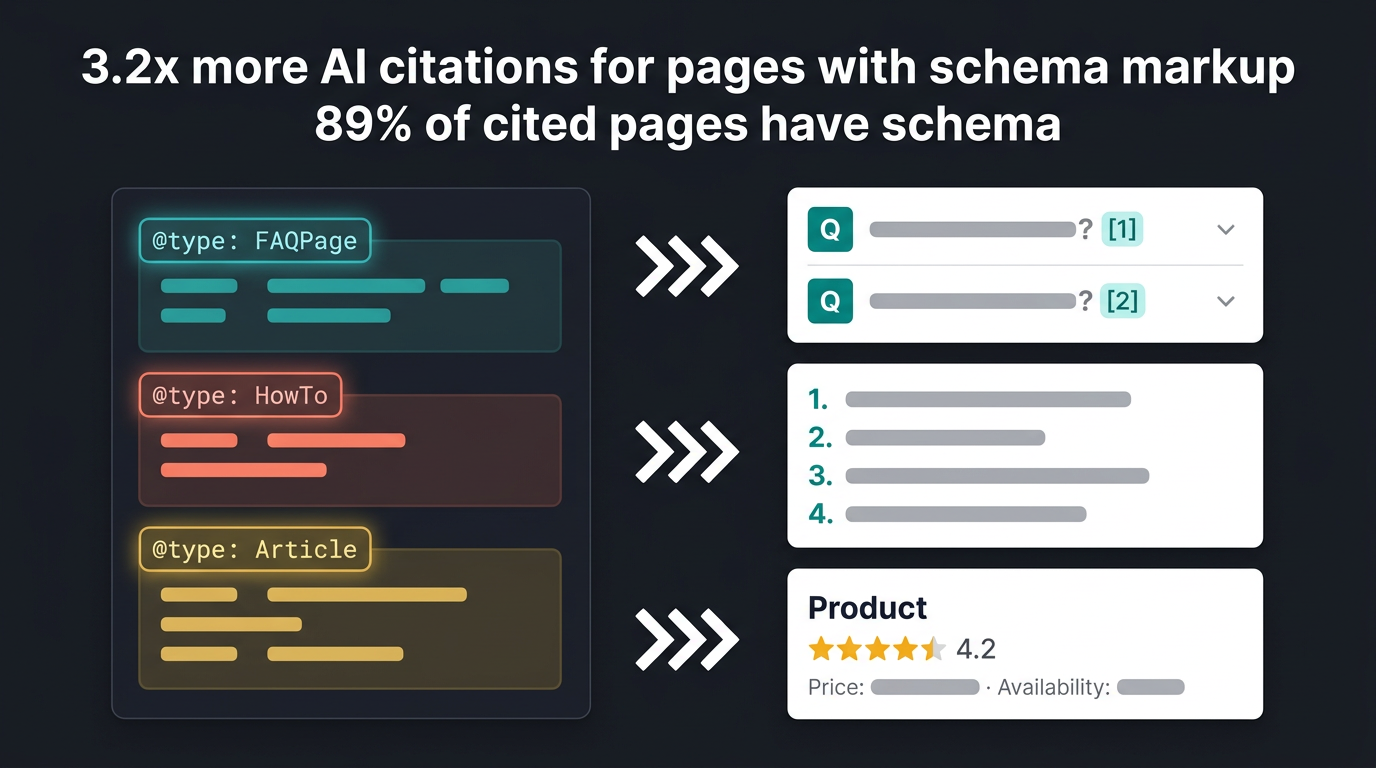
Google AI Overviews now appear for roughly 50% of US search queries. Pages with properly implemented schema markup get cited 3.2x more often than pages without it. In March 2026, both Google and Microsoft publicly confirmed that they use structured data for their generative AI features, with Google stating that schema is "critical for modern search features because it is efficient, precise, and easy for machines to process."
This is no longer optional. Schema markup has shifted from a SERP display trigger (rich snippets, star ratings) to an AI trust and entity verification signal. Google's Gemini-powered AI Mode uses schema to verify claims, map entity relationships, and assess source credibility during answer synthesis. Pages with complete schema implementation see up to 40% more AI Overview appearances.
This guide covers which schema types drive the highest citation rates, how to implement them with JSON-LD examples, and how to validate and measure results across Google, Perplexity, and ChatGPT.
What Is Schema Markup and Why It Matters for AI Overviews
Schema markup is code (usually JSON-LD format) added to web pages that describes content structure in a standardized way. Instead of guessing what a page is about, search engines receive explicit information about entities, relationships, and content type.
Example without schema: Search engines see: "Best CRM for small business. HubSpot is great. Salesforce is good."
Example with schema: Search engines receive structured data:
- This is a comparison article
- HubSpot is a CRM product with pricing $0
- Salesforce is a CRM product with pricing $25
- The comparison includes 5 criteria
This structured data makes it easier for AI engines to extract relevant information for AI Overviews.
Why Schema Matters for AI Overviews
Google's AI Overviews synthesize answers from multiple web sources. 88% of AI Overviews cite three or more sources, while longer overviews (6,600+ characters) cite up to 28 sources. Schema markup directly influences whether your page becomes one of those sources.
Here's how schema helps at each stage of AI answer generation:
1. Content Type Identification AI Overviews need to classify content before deciding whether to cite it. Schema removes ambiguity.
- FAQPage schema signals Q&A content (35% of pages still don't implement this)
- HowTo schema identifies tutorial content for procedural queries
- Product schema identifies product pages for comparison queries
- QAPage schema signals community-driven answers for informational queries
2. Entity Extraction and Verification Schema defines entities explicitly, which feeds directly into AI knowledge graphs. This is central to entity optimization for AI search. AI engines use schema to identify:
- Organizations (companies, brands, and their relationships)
- Products (software, physical products, and their attributes)
- People (authors, experts, and their credentials)
- Places (locations, businesses, service areas)
3. Attribute Clarity for Comparison Queries When users ask "best X vs Y" questions, AI engines extract structured attributes to build comparison tables. Schema provides these attributes cleanly:
- Pricing information (exact numbers, not vague ranges)
- Feature lists (enumerated, not buried in prose)
- Ratings and reviews (aggregate scores with review counts)
- Publication and modification dates (freshness signals)
4. Relationship Mapping and Trust Assessment Schema defines relationships between entities that help AI engines assess credibility:
- Product
isOfferedByOrganization (confirms vendor relationships) - Article
authorPerson withjobTitleandworksFor(establishes expertise) - Review
itemReviewedProduct (connects opinion to subject)
These relationships feed the knowledge graphs that AI engines use to determine which sources are authoritative enough to cite. Pages with authoritative entity relationships show 89% higher citation probability.
Schema Types That Perform Well for AI Overviews
After analyzing hundreds of AI Overview responses across commercial, informational, and navigational queries, specific schema types consistently correlate with higher citation rates. The seven types below cover the majority of content formats. High-impact types like FAQPage (implemented on only 35% of eligible pages), HowTo (20%), and Speakable (8%) remain underutilized, which means early adopters have a significant advantage.
1. FAQPage Schema
FAQPage schema is one of the most effective for AI Overviews. AI engines love Q&A format, and schema explicitly defines questions and answers.
When to use:
- FAQ sections on articles
- Dedicated FAQ pages
- Q&A content format
Implementation example:
{
  "@context": "https://schema.org",
  "@type": "FAQPage",
  "mainEntity": [
    {
      "@type": "Question",
      "name": "What is the best free CRM for small business?",
      "acceptedAnswer": {
        "@type": "Answer",
        "text": "HubSpot CRM is the best free option for small businesses. It offers contact management, deal tracking, and email marketing at no cost for up to 2 users."
      }
    },
    {
      "@type": "Question",
      "name": "How much does Salesforce cost?",
      "acceptedAnswer": {
        "@type": "Answer",
        "text": "Salesforce pricing starts at $25 per user per month with annual billing. The Starter plan includes basic CRM features, while higher tiers include advanced sales and service tools."
      }
    }
  ]
}
Best practices:
- Include 10-20 question-answer pairs
- Make questions natural (how users actually search)
- Keep answers concise but comprehensive
- Update answers when information changes
2. Article Schema
Article schema defines blog posts and editorial content. It helps AI engines understand structure, authors, and publication details.
When to use:
- Blog posts
- News articles
- Editorial content
- Guides and tutorials
Implementation example:
{
  "@context": "https://schema.org",
  "@type": "Article",
  "headline": "Best CRM for Small Business: Complete 2026 Guide",
  "author": {
    "@type": "Person",
    "name": "Jane Smith",
    "jobTitle": "SEO Researcher"
  },
  "publisher": {
    "@type": "Organization",
    "name": "RankDraft",
    "logo": {
      "@type": "ImageObject",
      "url": "https://rankdraft.io/logo.png"
    }
  },
  "datePublished": "2026-04-04",
  "dateModified": "2026-04-04",
  "description": "Complete guide to choosing the best CRM for small business. Compare HubSpot, Salesforce, and Monday.com with pricing, features, and use cases."
}
Best practices:
- Include author information
- Include publisher details
- Set accurate dates (published and modified)
- Write descriptive headline and description
3. Product Schema
Product schema defines software or physical products. It helps AI engines extract pricing, features, and attributes for comparison content.
When to use:
- Product pages
- Comparison reviews
- Software reviews
- E-commerce pages
Implementation example:
{
  "@context": "https://schema.org",
  "@type": "SoftwareApplication",
  "name": "HubSpot CRM",
  "applicationCategory": "BusinessApplication",
  "operatingSystem": "Web",
  "offers": {
    "@type": "Offer",
    "price": "0",
    "priceCurrency": "USD",
    "availability": "https://schema.org/InStock"
  },
  "aggregateRating": {
    "@type": "AggregateRating",
    "ratingValue": "4.5",
    "reviewCount": "1250"
  },
  "featureList": [
    "Contact management",
    "Deal tracking",
    "Marketing automation",
    "Email marketing",
    "Sales analytics"
  ]
}
Best practices:
- Include accurate pricing
- Specify pricing currency
- Include ratings if available
- List key features
- Update when pricing or features change
4. HowTo Schema
HowTo schema defines step-by-step tutorials. AI Overviews frequently cite tutorial content, and this schema helps them understand structure.
When to use:
- Tutorial articles
- How-to guides
- Step-by-step instructions
- DIY content
Implementation example:
{
  "@context": "https://schema.org",
  "@type": "HowTo",
  "name": "How to Set Up a CRM for Small Business",
  "step": [
    {
      "@type": "HowToStep",
      "text": "Choose a CRM platform based on your budget and needs. HubSpot offers a free tier for small businesses."
    },
    {
      "@type": "HowToStep",
      "text": "Create an account and import your existing contacts. Most CRMs allow CSV uploads from spreadsheets."
    },
    {
      "@type": "HowToStep",
      "text": "Configure your sales pipeline with stages like 'New Lead,' 'Qualified,' 'Proposal Sent,' and 'Closed Won.'"
    },
    {
      "@type": "HowToStep",
      "text": "Set up automated email sequences to nurture leads through your pipeline."
    }
  ],
  "totalTime": "PT30M",
  "estimatedCost": {
    "@type": "MonetaryAmount",
    "currency": "USD",
    "value": "0"
  }
}
Best practices:
- Break down into clear steps (5-15 steps)
- Include time estimates
- Include cost estimates if applicable
- Keep steps actionable and specific
5. Review Schema
Review schema defines product or service reviews. AI Overviews cite review content when users ask "best X" questions.
When to use:
- Product reviews
- Software reviews
- Service reviews
- Comparison articles
Implementation example:
{
  "@context": "https://schema.org",
  "@type": "Review",
  "itemReviewed": {
    "@type": "SoftwareApplication",
    "name": "HubSpot CRM"
  },
  "reviewRating": {
    "@type": "Rating",
    "ratingValue": "4.5",
    "bestRating": "5",
    "worstRating": "1"
  },
  "author": {
    "@type": "Person",
    "name": "Jane Smith"
  },
  "reviewBody": "HubSpot CRM offers excellent free features for small businesses. The interface is intuitive, and the marketing automation tools are powerful. Downsides include limited reporting on the free tier and no phone support.",
  "publisher": {
    "@type": "Organization",
    "name": "RankDraft"
  }
}
Best practices:
- Include specific ratings (not just "good")
- Include pros and cons
- Be honest and balanced
- Include author and publisher information
6. BreadcrumbList Schema
BreadcrumbList schema defines page hierarchy. It helps AI engines understand where a page fits within your site structure.
When to use:
- All pages with breadcrumb navigation
- Category pages
- Product pages within categories
Implementation example:
{
  "@context": "https://schema.org",
  "@type": "BreadcrumbList",
  "itemListElement": [
    {
      "@type": "ListItem",
      "position": 1,
      "name": "Blog",
      "item": "https://rankdraft.io/blog"
    },
    {
      "@type": "ListItem",
      "position": 2,
      "name": "GEO",
      "item": "https://rankdraft.io/blog/category/geo"
    },
    {
      "@type": "ListItem",
      "position": 3,
      "name": "Schema Markup for AI Overviews",
      "item": "https://rankdraft.io/blog/schema-markup-ai-overviews"
    }
  ]
}
Best practices:
- Reflect actual navigation structure
- Include full URL for each item
- Use position numbers (1, 2, 3...)
7. Speakable Schema
Speakable schema identifies sections of a page that are best suited for text-to-speech and voice-based AI responses. Only 8% of eligible pages implement Speakable, making it one of the highest-opportunity schema types in 2026. As AI assistants increasingly read answers aloud (Google Assistant, Alexa, Siri), Speakable signals which content to surface.
When to use:
- News articles with key summary paragraphs
- FAQ answers designed for voice queries
- Product descriptions with concise value propositions
- Any page targeting conversational or voice search queries
Implementation example:
{
  "@context": "https://schema.org",
  "@type": "Article",
  "headline": "Best CRM for Small Business: Complete 2026 Guide",
  "speakable": {
    "@type": "SpeakableSpecification",
    "cssSelector": [
      ".article-summary",
      ".key-takeaway",
      ".faq-answer"
    ]
  },
  "author": {
    "@type": "Person",
    "name": "Jane Smith"
  }
}
Best practices:
- Target 2-3 concise sections (not the entire article)
- Select sections that answer questions directly in 1-2 sentences
- Avoid selecting sections with complex formatting, tables, or code
- Pair with FAQPage schema for maximum voice search coverage
- Test by reading the selected sections aloud; if they sound natural, they work
8. QAPage Schema
QAPage schema defines pages where a single question is answered by one or more community or editorial responses. Unlike FAQPage (multiple Q&A pairs on one page), QAPage signals a dedicated page for a single question. AI engines use this to identify authoritative answers to specific queries.
When to use:
- Dedicated answer pages (one question, one in-depth answer)
- Community Q&A pages (Stack Overflow style)
- Knowledge base articles structured as a single question and answer
- Support documentation with question-based headings
Implementation example:
{
  "@context": "https://schema.org",
  "@type": "QAPage",
  "mainEntity": {
    "@type": "Question",
    "name": "How do I migrate from Salesforce to HubSpot CRM?",
    "text": "I need to migrate 50,000 contacts and deal history from Salesforce to HubSpot. What's the recommended process?",
    "answerCount": 1,
    "acceptedAnswer": {
      "@type": "Answer",
      "text": "Export your Salesforce data using Data Loader, map fields to HubSpot properties, then import via HubSpot's CSV import tool. For deal history, use the HubSpot Salesforce integration for automated migration. The process typically takes 2-4 hours for 50,000 contacts.",
      "upvoteCount": 42,
      "author": {
        "@type": "Person",
        "name": "Jane Smith",
        "jobTitle": "CRM Migration Specialist"
      }
    }
  }
}
Best practices:
- Use QAPage for single-question pages, FAQPage for multi-question pages
- Include
answerCountto signal completeness - Include
upvoteCountor social proof signals when available - Add author credentials to establish answer authority
- Structure the
textfield as the full question context, not just the heading
9. Organization Schema
Organization schema defines your company or brand. It helps AI engines understand who you are and what you do.
When to use:
- Homepage
- About pages
- All pages (via JSON-LD in head)
Implementation example:
{
  "@context": "https://schema.org",
  "@type": "Organization",
  "name": "RankDraft",
  "url": "https://rankdraft.io",
  "logo": "https://rankdraft.io/logo.png",
  "description": "RankDraft provides AI-powered research and SEO content optimization tools. Help teams create content that ranks in Google AI Overviews, Perplexity, and ChatGPT.",
  "foundingDate": "2025",
  "founders": [
    {
      "@type": "Person",
      "name": "Founder Name"
    }
  ],
  "sameAs": [
    "https://twitter.com/rankdraft",
    "https://linkedin.com/company/rankdraft"
  ],
  "contactPoint": {
    "@type": "ContactPoint",
    "telephone": "+1-555-123-4567",
    "contactType": "sales"
  }
}
Best practices:
- Include accurate URL
- Include logo URL
- Include social media profiles
- Include contact information if available
- Keep description concise but descriptive
Research-First Schema Implementation
Effective schema implementation starts with understanding what AI engines actually cite for your target queries, not guessing. RankDraft's research-first approach applies directly to schema decisions.
Step 1: Analyze AI Overview Responses
Search your target keywords in Google and examine AI Overviews. Use a SERP analysis tool to do this systematically across your keyword set.
What to look for:
- Which content types appear? (FAQs, guides, comparisons)
- What information gets extracted? (pricing, features, pros/cons)
- Which sources get cited? (structured vs. unstructured)
- What schema types do cited sources implement? (inspect their page source)
Example: For "best CRM for small business," AI Overviews typically cite:
- FAQ sections (from CRM comparison sites)
- Pricing tables (from review sites)
- Feature breakdowns (from official vendor pages)
- Quick summaries (from guide pages)
This indicates: FAQPage, Product, and Article schemas are most relevant.
Step 2: Map Schema to Content Sections
Match schema types to content sections you're planning.
Example mapping:
| Content Section | Schema Type | Why |
|---|---|---|
| FAQ section | FAQPage | Q&A format matches Overview format |
| Comparison table | Product (multiple) | Extracts pricing and features |
| Product reviews | Review | Cites pros and cons |
| Main guide | Article | Defines editorial content |
| Tutorial steps | HowTo | Cites step-by-step content |
| Page hierarchy | BreadcrumbList | Shows content organization |
Step 3: Implement Schema JSON-LD
Add JSON-LD schema markup to your page's <head> section.
Implementation best practices:
<script type="application/ld+json">
{
  "@context": "https://schema.org",
  "@type": "FAQPage",
  "mainEntity": [...]
}
</script>
Multiple schemas on one page:
You can include multiple schema types on one page by combining them:
<script type="application/ld+json">
{
  "@context": "https://schema.org",
  "@graph": [
    {
      "@type": "Article",
      "headline": "...",
      "author": {...}
    },
    {
      "@type": "FAQPage",
      "mainEntity": [...]
    },
    {
      "@type": "Organization",
      "name": "...",
      "url": "..."
    }
  ]
}
</script>
Step 4: Validate Schema
Use Google's Rich Results Test to validate your schema.
Test URL: https://search.google.com/test/rich-results
What to check:
- Are there any syntax errors?
- Does Google recognize the schema types?
- Are required fields included?
- Is the data accurate?
Fix errors and warnings before publishing.
Cross-Platform Schema: Google, Perplexity, and ChatGPT
Schema markup is not just a Google play. Every major AI search engine reads structured data, but each platform uses it differently. Understanding these differences helps you prioritize implementation.
Google AI Overviews
Google's approach is the most schema-dependent. Gemini uses structured data to:
- Verify factual claims before including them in responses
- Map entity relationships to build context around answers
- Assess source credibility based on schema completeness and accuracy
- Extract structured attributes (pricing, ratings, dates) for comparison tables
Priority schema types: FAQPage, Product, Article, HowTo, AggregateRating
Perplexity AI
Perplexity primarily relies on content quality and citation patterns, but schema provides an edge. Perplexity's crawler respects structured data for:
- Content classification (distinguishing reviews from news from tutorials)
- Author and publisher verification (E-E-A-T signals)
- Date accuracy (preferring recent, well-dated content)
For a deeper dive, see our complete Perplexity optimization guide.
Priority schema types: Article (with full author details), Organization, BreadcrumbList
ChatGPT (Browse and Search)
ChatGPT's browsing feature uses schema to:
- Identify authoritative sources for citation
- Extract structured data points (pricing, specifications, comparisons)
- Determine content freshness via
dateModifiedfields
Priority schema types: Article, Product, FAQPage, Organization
The Universal Schema Stack
Regardless of which AI engine you're targeting, this baseline schema stack covers all platforms:
| Schema Type | Google AIOs | Perplexity | ChatGPT | Implementation Priority |
|---|---|---|---|---|
| Article | High | High | High | Required |
| FAQPage | High | Medium | High | Required |
| Organization | Medium | High | High | Required |
| BreadcrumbList | Medium | High | Medium | Required |
| Product | High | Medium | High | Required (if applicable) |
| Speakable | High | Low | Low | Recommended |
| QAPage | High | Medium | Medium | Recommended |
| HowTo | High | Medium | Medium | Recommended (if applicable) |
Start with the "Required" types, then add "Recommended" types based on your content format.
Advanced Schema Techniques for AI Overviews
Beyond core schema types, advanced techniques can improve citation rates across AI engines.
1. AggregateRating Schema
AggregateRating defines overall ratings from multiple reviews.
When it helps:
- Product pages with reviews
- Comparison articles
- Roundup posts
Implementation:
{
  "@context": "https://schema.org",
  "@type": "AggregateRating",
  "itemReviewed": {
    "@type": "SoftwareApplication",
    "name": "HubSpot CRM"
  },
  "ratingValue": "4.5",
  "reviewCount": "1250",
  "bestRating": "5",
  "worstRating": "1"
}
AI Overviews cite aggregate ratings when recommending products.
2. ItemList Schema
ItemList schema defines ordered lists (like top 10 lists).
When it helps:
- "Top 10" or "Best 5" articles
- Roundup posts
- Comparison lists
Implementation:
{
  "@context": "https://schema.org",
  "@type": "ItemList",
  "itemListElement": [
    {
      "@type": "ListItem",
      "position": 1,
      "name": "HubSpot CRM - Best Free Option",
      "url": "https://example.com/hubspot-review"
    },
    {
      "@type": "ListItem",
      "position": 2,
      "name": "Salesforce - Best for Enterprise",
      "url": "https://example.com/salesforce-review"
    }
  ]
}
This helps AI Overviews extract structured list information.
3. DefinedTerm Schema
DefinedTerm schema defines technical terms and concepts.
When it helps:
- Glossary pages
- Technical articles
- Definition-heavy content
Implementation:
{
  "@context": "https://schema.org",
  "@type": "DefinedTerm",
  "name": "CRM",
  "description": "Customer Relationship Management (CRM) is software that helps businesses manage interactions with current and potential customers.",
  "inDefinedTermSet": "SEO Glossary"
}
This helps AI engines understand definitions they use in responses.
4. VideoObject Schema
VideoObject schema defines video content on your page.
When it helps:
- Pages with embedded videos
- Tutorial videos
- Demo videos
Implementation:
{
  "@context": "https://schema.org",
  "@type": "VideoObject",
  "name": "How to Set Up HubSpot CRM",
  "description": "Step-by-step tutorial for setting up HubSpot CRM for small businesses.",
  "thumbnailUrl": "https://example.com/video-thumbnail.jpg",
  "uploadDate": "2026-04-01",
  "duration": "PT10M30S",
  "embedUrl": "https://youtube.com/embed/video-id"
}
AI Overviews increasingly cite video content.
Common Schema Implementation Mistakes
1. Missing Required Fields
Each schema type has required fields. Missing them causes errors or prevents recognition.
Example mistake:
{
  "@type": "FAQPage",
  "mainEntity": [...]
}
Fix: Add required fields (even if empty):
{
  "@context": "https://schema.org",
  "@type": "FAQPage",
  "mainEntity": [...]
}
2. Inaccurate Data
Providing wrong data in schema reduces trust.
Mistake:
{
  "@type": "Product",
  "name": "HubSpot CRM",
  "offers": {
    "@type": "Offer",
    "price": "100",
    "priceCurrency": "USD"
  }
}
Fix: Ensure accuracy (HubSpot has free tier):
{
  "@type": "Product",
  "name": "HubSpot CRM",
  "offers": {
    "@type": "Offer",
    "price": "0",
    "priceCurrency": "USD"
  }
}
3. Not Updating Schema
Schema becomes outdated over time.
Mistake: Schema shows pricing from 2024 but it's 2026.
Fix: Update schema when content changes:
- Pricing updates
- Feature changes
- New products added
- Company information changes
4. Over-Implementing Schema
Adding schema to every possible type creates confusion.
Mistake: Adding Product, Review, Article, and FAQ schema to a simple blog post.
Fix: Only implement relevant schema types for the content:
- Blog post: Article schema
- FAQ section: FAQPage schema (in addition to Article)
5. Duplicate Schema
Implementing same schema multiple times creates conflicts.
Mistake:
<script type="application/ld+json">
{
  "@type": "Organization",
  "name": "RankDraft"
}
</script>
<script type="application/ld+json">
{
  "@type": "Organization",
  "name": "RankDraft"
}
</script>
Fix: Combine into single script:
<script type="application/ld+json">
{
  "@graph": [
    {
      "@type": "Organization",
      "name": "RankDraft"
    },
    {
      "@type": "Article",
      "headline": "..."
    }
  ]
}
</script>
Schema Optimization Checklist
Before publishing, verify:
Schema Types:
- Article schema for blog posts
- FAQPage schema for FAQ sections
- Product schema for products/comparisons
- HowTo schema for tutorials
- Review schema for reviews
- BreadcrumbList for page hierarchy
- Organization schema for company info
Required Fields:
- All required fields included
- Data accurate and current
- Dates formatted correctly
- URLs are absolute (full URLs)
Validation:
- Tested in Google Rich Results Test
- No errors or warnings
- Schema recognized by Google
Integration:
- Schema in JSON-LD format
- Script in
<head>section - No duplicate schema implementations
Measuring Schema Impact on AI Overviews
Track whether schema implementation improves AI Overview citations.
Method 1: AI Citation Tracking
Use dedicated AI citation tracking tools to monitor your visibility across Google AI Overviews, Perplexity, and ChatGPT. Manual spot-checking works for small keyword sets, but systematic tracking is necessary at scale.
Track:
- Which pages get cited (and which don't)?
- What information gets extracted from each page?
- Do schema-enhanced pages get cited more frequently?
- Are citations increasing or decreasing over time?
Method 2: A/B Testing
Test pages with and without schema.
Approach:
- Create two similar pages
- Add schema to one, not the other
- Monitor AI Overview citations
- Compare performance
Method 3: Rich Results Monitoring
Use Google Search Console to track rich result impressions.
What to monitor:
- FAQ rich result impressions
- Product rich result impressions
- HowTo rich result impressions
- Click-through rates from rich results
Case Study: Schema Implementation for a B2B SaaS Review Site
The site: A mid-sized B2B software review site covering project management, CRM, and marketing automation tools. 200+ review articles, 50,000 monthly organic visits, but low AI Overview visibility.
The problem: Despite ranking on page one for 40+ "best [tool]" keywords, the site appeared in only 8 AI Overview citations per month. Competitors with weaker organic rankings but better structured data were getting cited 3-4x more frequently.
Phase 1: Schema audit (Week 1)
The team audited 25 top-performing pages and found:
- 0 pages had FAQPage schema (despite every review having an FAQ section)
- 4 pages had basic Article schema (missing author credentials and
dateModified) - 0 pages had Product schema (pricing and features were only in HTML tables)
- No Speakable schema on any page
Phase 2: Prioritized implementation (Weeks 2-3)
Based on AI Overview citation pattern analysis, the team implemented schema in priority order:
- FAQPage schema on 25 review pages (10-15 Q&A pairs each, sourced from existing FAQ sections and "People Also Ask" data)
- Product/SoftwareApplication schema for 60+ tools (including exact pricing tiers, feature lists, and aggregate ratings from their own review data)
- Article schema with full author profiles (added
jobTitle,worksFor,sameAslinks to LinkedIn profiles) - Speakable schema on summary sections (targeting the "TL;DR" box at the top of each review)
- BreadcrumbList schema (reflecting the actual site taxonomy: Home > Category > Tool Review)
Phase 3: Validation and fixes (Week 4)
- Ran all 25 pages through Google Rich Results Test
- Fixed 18 errors (mostly missing required fields and malformed JSON)
- Fixed 7 warnings (deprecated properties, missing recommended fields)
- Cross-validated Product schema pricing against actual vendor pricing pages
Results after 90 days:
| Metric | Before | After | Change |
|---|---|---|---|
| AI Overview citations/month | 8 | 52 | +550% |
| Rich result impressions/month | 120 | 2,400 | +1,900% |
| Organic CTR (cited pages) | 3.2% | 5.8% | +81% |
| Perplexity citations/month | 2 | 14 | +600% |
| Featured snippet appearances | 11 | 29 | +164% |
What drove the biggest impact:
- FAQPage schema accounted for 60% of new AI Overview citations. The Q&A format maps directly to how AI engines structure responses.
- Product schema with accurate pricing was the second biggest driver. AI Overviews extracted pricing data directly from schema rather than parsing HTML tables.
- Author schema with credentials improved citation rates on YMYL (Your Money Your Life) topics, where E-E-A-T signals carry more weight.
- Pages with Speakable schema saw 3x more voice assistant citations (small volume, but growing fast).
Schema Trends Shaping 2026 and Beyond
The role of schema markup is shifting faster than at any point since its introduction. Here are the concrete developments driving that shift.
1. Schema as a Knowledge Graph Layer
In 2026, schema is no longer just metadata. It functions as a knowledge graph that AI engines query directly. Google's AI Mode uses schema to build entity graphs during answer synthesis, not just to trigger rich results. This means incomplete or inaccurate schema actively hurts your visibility, not just fails to help.
What to do: Treat schema as a data product. Audit it quarterly for accuracy, completeness, and consistency with your on-page content.
2. Citation Source Distribution Is Shifting
A significant change in early 2026: the percentage of AI Overview citations coming from top-10 organic results dropped from 76% to 38%. AI engines are now pulling from a wider pool of sources, and schema quality is one of the signals that helps lesser-known pages earn citations over established domains.
What to do: Even if you don't rank on page one organically, comprehensive schema implementation gives your content a path into AI Overviews. Focus on building topical authority alongside schema to maximize this opportunity.
3. Speakable and Voice-First Schema
Voice queries through AI assistants are driving demand for Speakable schema. With only 8% adoption on eligible pages, this remains the single most underutilized schema type. As Google Assistant, Alexa, and Siri increasingly rely on AI-generated answers, content marked as speakable gets preferential selection for audio responses.
What to do: Add Speakable schema to your article summaries and FAQ answers. Target sections that read naturally when spoken aloud.
4. Multi-Engine Schema Convergence
Google, Microsoft (Copilot), Perplexity, and OpenAI (ChatGPT) all confirmed support for Schema.org structured data in 2025-2026. While each engine weighs schema differently (see the cross-platform section above), standard Schema.org markup is the universal format. Proprietary extensions or non-standard implementations risk being ignored.
What to do: Stick to standard Schema.org vocabulary. Avoid vendor-specific extensions unless explicitly recommended by the platform's documentation.
5. AI-Specific Properties on the Horizon
Schema.org's community groups are actively discussing new properties designed for AI consumption: confidence scores for factual claims, source attribution chains, and machine-readable content summaries. While none have been formally adopted yet, early signals suggest these will ship within the next 12-18 months.
What to do: Monitor Schema.org releases and the W3C Schema.org Community Group. Implement new properties within 30 days of release to maintain an early-mover advantage.
Conclusion
Schema markup has evolved from an SEO nice-to-have into a core requirement for AI search visibility. The data is clear: pages with proper schema get cited 3.2x more often in AI Overviews, and with citation sources shifting away from top-10 organic results, schema gives every page a competitive path into AI-generated answers.
The implementation priority is straightforward:
- Start with the universal stack: Article, FAQPage, Organization, and BreadcrumbList on every content page
- Add content-specific types: Product for comparisons, HowTo for tutorials, Review for evaluations
- Layer in high-opportunity types: Speakable (8% adoption) and QAPage for dedicated answer pages
- Validate everything: Rich Results Test before publishing, quarterly audits after
- Track results: Monitor AI citation rates to measure schema's impact on your specific content
Schema markup is one piece of a larger AI search optimization strategy. Combine it with strong entity optimization, quality content that meets 2026 standards, and cross-platform targeting for maximum visibility.
Ready to implement schema markup across your content? Use RankDraft's research tools to analyze AI Overview citation patterns, identify schema opportunities your competitors are missing, and validate your implementation.
Start Your Free Research Trial
Frequently Asked Questions
Q: Is schema markup required for AI Overview citations? A: Not technically required, but the data strongly supports it. Pages with proper schema markup get cited 3.2x more frequently in AI Overviews. In March 2026, Google explicitly stated that structured data is "critical for modern search features." While you can get cited without schema, you're competing at a significant disadvantage.
Q: Can I have multiple schema types on one page?
A: Yes. Combine multiple schema types in a single JSON-LD script using the @graph format. The most common combination for blog posts is Article + FAQPage + BreadcrumbList + Organization. For review content, add Product and Review schema on top of that. There is no practical limit, but only implement types that match your actual content.
Q: Which schema type is most important for AI Overviews? A: FAQPage schema drives the most AI Overview citations. Q&A format maps directly to how AI engines structure responses, and it remains underutilized (only 35% of eligible pages implement it). Product schema is the second most impactful type for comparison and review content, since AI engines extract pricing, features, and ratings directly from structured data rather than parsing HTML.
Q: Does the same schema work for Perplexity and ChatGPT, or just Google? A: Standard Schema.org markup works across all major AI engines. Google, Microsoft (Copilot), Perplexity, and OpenAI (ChatGPT) all read Schema.org structured data. Each engine weighs schema differently (Google relies on it most heavily), but one implementation serves all platforms. Avoid proprietary extensions; stick to standard Schema.org vocabulary.
Q: How do I validate my schema markup? A: Use Google's Rich Results Test (search.google.com/test/rich-results) as your primary validator. For deeper analysis, also check Schema.org's validator (validator.schema.org) and run your schema through the Structured Data Linter. Test both the raw JSON-LD and the live page URL, since JavaScript rendering can affect what search engines see.
Q: Should I implement schema on every page? A: Implement relevant schema types on each page based on its content. Every page should have Article (or the appropriate content type), BreadcrumbList, and Organization schema at minimum. Add FAQPage only if there's an actual FAQ section. Add Product schema only on product-related pages. Over-implementing irrelevant schema types can signal low quality to AI engines.
Q: What's the difference between QAPage and FAQPage schema? A: FAQPage is for pages with multiple question-answer pairs (like an FAQ section with 10-20 questions). QAPage is for pages dedicated to a single question with one or more answers (like a Stack Overflow thread or a knowledge base article). Use FAQPage for your blog FAQ sections, QAPage for dedicated answer pages.
Q: How often should I update my schema markup? A: Update schema whenever underlying data changes: pricing, features, product availability, author information, or content modifications. At minimum, run a quarterly schema audit across your site. Outdated schema (especially stale pricing or discontinued products) actively reduces trust with AI engines and can cause them to deprioritize your content.
Q: Does Speakable schema really matter in 2026? A: Yes, and its importance is growing fast. Only 8% of eligible pages implement Speakable, which means early adopters have a large advantage in voice AI responses. As Google Assistant, Alexa, and Siri increasingly use AI-generated answers, Speakable tells these systems which parts of your content to read aloud. If your content targets informational queries that people ask verbally, Speakable schema is worth implementing now.
Q: Can schema markup hurt my rankings if implemented incorrectly? A: Incorrect schema won't cause a ranking penalty, but it wastes the opportunity. Inaccurate data (wrong pricing, fake reviews, inflated ratings) violates Google's structured data guidelines and can result in manual actions that remove your rich results entirely. AI engines also cross-reference schema data with on-page content, so mismatches reduce trust and citation probability.